
Every observability stack I’ve worked on eventually develops the same problem: alert drift. Someone clicks through the UI to silence a noisy rule “just for the weekend,” forgets, and three months later nobody can reproduce why a particular query has target: 0 instead of target: 3. The dashboard is in Git. The infrastructure is in Git. The deployment manifests are in Git. The alerts - somehow, always - are not.
I faced this problem with SigNoz after working with it twice for the past 1 year. SigNoz is a great open-source o11y platform, but the alert side of it lives entirely in the UI and the /api/v2/rules HTTP API. The community Terraform provider exists but is nascent, and Terraform brings its own choreography: versioning it in Git, ensure people don’t run terraform from local and forget to push, also the Terraform provider for Signoz is incredibly buggy, I was fed up with ‘Error: Provider produced inconsistent result after apply’.
Meanwhile every other major observability platform I’ve used in the last two years has a Kubernetes-native alerting mechanism - Prometheus Operator’s PrometheusRule, the Datadog Operator’s DatadogMonitor, the Grafana Operator’s AlertRuleGroup, Alertmanager’s AlertmanagerConfig. Argo CD or Flux reconciling YAML out of Git, no separate pipeline, is the right shape for this problem.
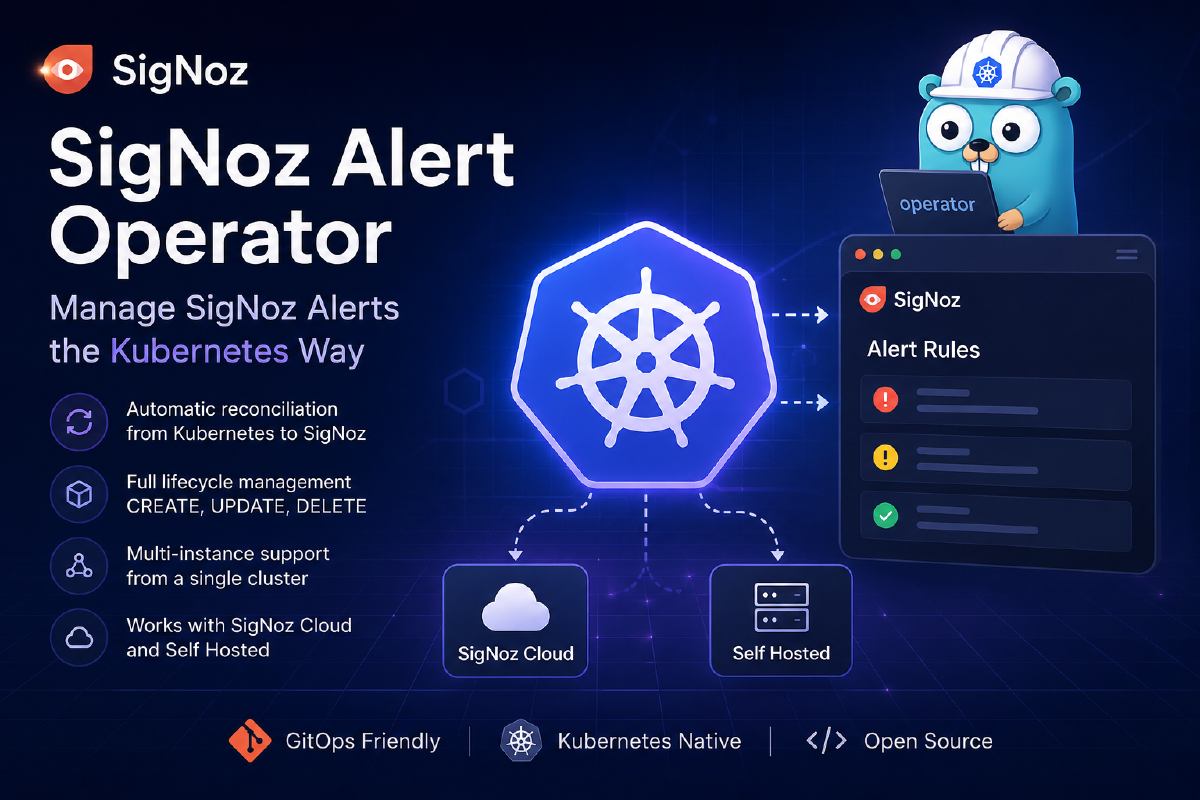
So I built one for SigNoz: signoz-alert-operator.
⚠️ Independent community operator. Not affiliated with, endorsed by, or sponsored by SigNoz Inc.
This post walks through what using it actually looks like - install to first alert in about five minutes.
Install the operator#
One kubectl apply. CRDs + controller + RBAC, into the signoz-alert-operator-system namespace:
kubectl apply -f https://github.com/harsh098/signoz-alert-operator/releases/latest/download/install.yaml
Verify the controller is up:
kubectl -n signoz-alert-operator-system get pods
# signoz-alert-operator-controller-manager-...   Running
The operator’s tag mirrors the SigNoz version it was verified against - operator v1.X.Y ↔ SigNoz upstream v0.X.0. Latest is v1.124.1 against SigNoz v0.124.0. Pin to a matching pair for predictable behaviour.
Get an API key into the cluster (the right way)#
The operator authenticates to SigNoz with an admin API key. You’ll create one in Settings → API Keys in the SigNoz UI (signoz-editor scope), and the operator needs to read it from a Kubernetes Secret.
Please don’t kubectl apply a Secret out of your monorepo. Use External Secrets Operator (ESO) or the Secrets Store CSI Driver to materialise it from your secret manager of choice. The Git artefact you commit should be a reference, not the secret itself. This matters here in particular because the SigNoz admin key can mutate every alert in the tenant.
With ESO, the manifest you commit looks like this (AWS Secrets Manager as the backend - works the same for Vault, GCP Secret Manager, Azure Key Vault, 1Password, Doppler, etc.):
apiVersion: external-secrets.io/v1beta1
kind: ExternalSecret
metadata:
  name: signoz-api-key
  namespace: stage
spec:
  refreshInterval: 1h
  secretStoreRef:
    name: aws-secrets-manager
    kind: ClusterSecretStore
  target:
    name: signoz-api-key        # ← Secret name your Endpoint will reference
    creationPolicy: Owner
  data:
    - secretKey: api-key        # ← key inside the Secret
      remoteRef:
        key: stage/signoz/api-key
ESO reconciles a real Kubernetes Secret on a schedule, the operator reads it on each reconcile, your Git repo never sees plaintext credentials. The Secrets Store CSI Driver achieves the same end via a different mechanism - pick whichever your platform already standardises on.
The two CRDs you’ll use#
Just two, and you’ll mostly forget one of them exists after first setup:
Endpoint- points at a SigNoz instance (URL + Secret reference). Create one per SigNoz tenant per namespace. No controller, no reconcile loop - it’s a typed reference object so individual alerts don’t repeat credentials.Alert- references anEndpointand carries the SigNoz rule body as-is. The operator forwardsspec.ruleverbatim to/api/v2/rules, surfaces SigNoz’s response onstatus, and uses a finalizer to clean up the upstream rule when youkubectl delete.
A complete example#
A real alert from my own stack: fire if a Debezium Server pod restarts in a 5-minute window, grouped by pod, scoped to the aws-sandbox-india environment. Apply these two manifests and you have a managed alert:
apiVersion: monitoring.hmx86.cloud/v1alpha1
kind: Alert
metadata:
  name: dbz-container-restarts
  namespace: stage
spec:
  endpointRef:
    name: signoz
  rule:
    alert: "[K8s Test] CDC - Debezium Server Container Restarts"
    alertType: METRIC_BASED_ALERT
    ruleType: threshold_rule
    version: v5
    evalWindow: 5m
    frequency: 1m
    description: "Debezium Server container is restarting. Restarts cause offset re-reads, potential re-snapshots, and temporary CDC pipeline downtime."
    labels:
      component: debezium-server
      method: health
      environment: aws-sandbox-india
    condition:
      compositeQuery:
        queryType: builder
        panelType: graph
        queries:
          - type: builder_query
            spec:
              name: A
              signal: metrics
              stepInterval: 60
              aggregations:
                - metricName: k8s.container.restarts
                  timeAggregation: increase
                  spaceAggregation: sum
              filter:
                expression: "k8s.container.name = debezium-server"
              groupBy:
                - name: k8s.pod.name
                  fieldContext: resource
      selectedQueryName: A
      op: "1"
      target: 0
      matchType: "1"
    preferredChannels:
      - "Signoz AWS Alerts."

---
apiVersion: monitoring.hmx86.cloud/v1alpha1
kind: Endpoint
metadata:
  name: signoz
  namespace: stage
spec:
  instanceURL: https://YOUR_SIGNOZ_ENDPOINT.us2.signoz.cloud
  secretKeyRef:
    name: signoz-api-key
    key: api-key
The spec for spec.rule is same as the request schema for /api/v2/rules.
A handful of footguns worth knowing before you kubectl apply:
version: v5is required, even though SigNoz’s OpenAPI spec reads it as optional.opandmatchTypeuse numeric string codes ("1"= above / at_least_once), not the named enums in the docs. The UI’s exported JSON uses the numerics; so does the API.preferredChannelsmust reference channels that already exist in SigNoz by name. Create the channel once in the UI (Settings → Channels) and reference it from YAML forever after.- Don’t set
labels.k8s_idyourself - the controller injects it as<namespace>-<name>. It’s how the operator finds the rule in SigNoz across cluster moves.
Verify it worked#
kubectl -n stage get alert dbz-container-restarts -o yaml
Look at status:
status:
  ruleID: "019e363f-e5f7-70dc-b367-ffbdb9989e56"        # SigNoz-assigned id
  httpStatus: 201       # 201 on create, 200 on subsequent updates
  errors: ""            # SigNoz's error body if anything went wrong
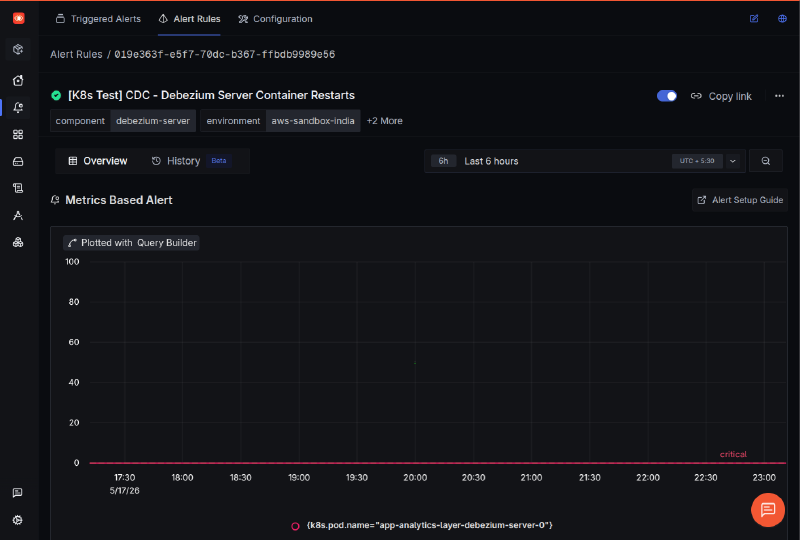
ruleID populated and httpStatus: 201 → the rule is live. Confirm in the SigNoz UI: Alerts → All Alerts, look for “[K8s Test] CDC - Debezium Server Container Restarts.”
If ruleID is empty and errors is set, that’s SigNoz rejecting your rule body. The error text is usually specific enough to point at the bad field - fix spec.rule and re-apply.
The day-to-day workflow#
This is the part you’ll spend 99% of your time in:
Update a rule. Edit the Alert manifest, re-apply. The controller diffs, sends PUT /api/v2/rules/{ruleID} to SigNoz, bumps status.httpStatus to 200. Same rule id upstream, so alert history and notifications keep flowing.
kubectl apply -f alert.yaml
Delete a rule. A finalizer ensures the SigNoz-side rule is removed before the K8s object is garbage-collected. Typically completes in under two seconds.
kubectl -n stage delete alert dbz-container-restarts
If the rule was already deleted from the SigNoz UI, the controller tolerates the 404 and removes the finalizer anyway - kubectl delete won’t hang.
Migrate to a new cluster. This is the trick that made me actually trust the operator in production. kubectl apply -k the same alert manifests into a new cluster pointing at the same SigNoz instance: the new cluster’s Alert CR starts with empty status.ruleID, the controller lists rules in SigNoz on first reconcile, finds the one labelled k8s_id: <namespace>-<name>, and adopts its id rather than creating a duplicate. Same trick lets you sanely promote the same manifests across dev/staging/prod clusters when they share a backend.
Manage many SigNoz tenants from one cluster. Create one Endpoint per target; each Alert picks its target via spec.endpointRef.name. Convenient when a management cluster ships alerts to per-environment SigNoz tenants.
apiVersion: monitoring.hmx86.cloud/v1alpha1
kind: Endpoint
metadata: { name: signoz-prod, namespace: monitoring }
spec:
  instanceURL: https://prod.signoz.cloud
  secretKeyRef: { name: signoz-prod-credentials, key: api-key }
---
apiVersion: monitoring.hmx86.cloud/v1alpha1
kind: Endpoint
metadata: { name: signoz-staging, namespace: monitoring }
spec:
  instanceURL: https://staging.signoz.cloud
  secretKeyRef: { name: signoz-staging-credentials, key: api-key }
What’s next#
The thing I’m working on next - and the reason I think Kubernetes-native is the right home for SigNoz config more broadly - is a Dashboard CRD. Same model: build the dashboard once in the SigNoz UI, export the JSON, paste under spec.dashboard:, commit to Git, reconcile into SigNoz. The dashboards-in-the-UI / alerts-managed-by-the-operator split is unsatisfying. I’d like to close it.
If you’re running SigNoz in anything resembling a serious production setup, give the operator a try. Repo is here, Apache-2.0, issues and PRs welcome. Full walkthrough - including bootstrapping a SigNoz API key against the /api/v1/service_accounts flow - lives in Usage.md.